> ## Documentation Index
> Fetch the complete documentation index at: https://docs.bedrock.orinlabs.org/llms.txt
> Use this file to discover all available pages before exploring further.
# Quickstart
> Get your first Bedrock agent running in 10 minutes
# Quickstart
This guide walks you through signing up, creating a template, configuring adapters, and deploying your first autonomous agent.
## Key Concepts
Before diving in, here's how Bedrock is structured:
* **Organization** — Your top-level tenant. Holds your users, LLM provider keys, and API keys.
* **AgentTemplate** — A named blueprint with a system prompt, default model, and an adapter set. New agents are stamped from templates and snapshot the config at creation time.
* **Agent** — A running instance deployed from a template as a standalone autonomous AI. Each agent has its own adapter state.
* **Adapter** — An integration module (SMS, Email, Browser, etc.) attached to a template via an `AdapterConfig`.
For example: you'd create a "Personal Assistant" template once, then deploy a new agent for each user who signs up.
## Step 1: Sign Up
Go to [bedrock.orinlabs.org/signup](https://bedrock.orinlabs.org/signup) and create your account. You'll need:
* An **organization name** (your company or project)
* An **email** and **password**
After signing up, you'll be taken to the Templates page.
## Step 2: Add Your LLM Provider Keys
From the **Settings** page, add your **Anthropic API Key** and/or **OpenAI API Key**. Bedrock uses these to make LLM calls on behalf of every agent in your organization.
Provider keys are write-only — you can replace them but you can't read them back via the API.
## Step 3: Create a Template
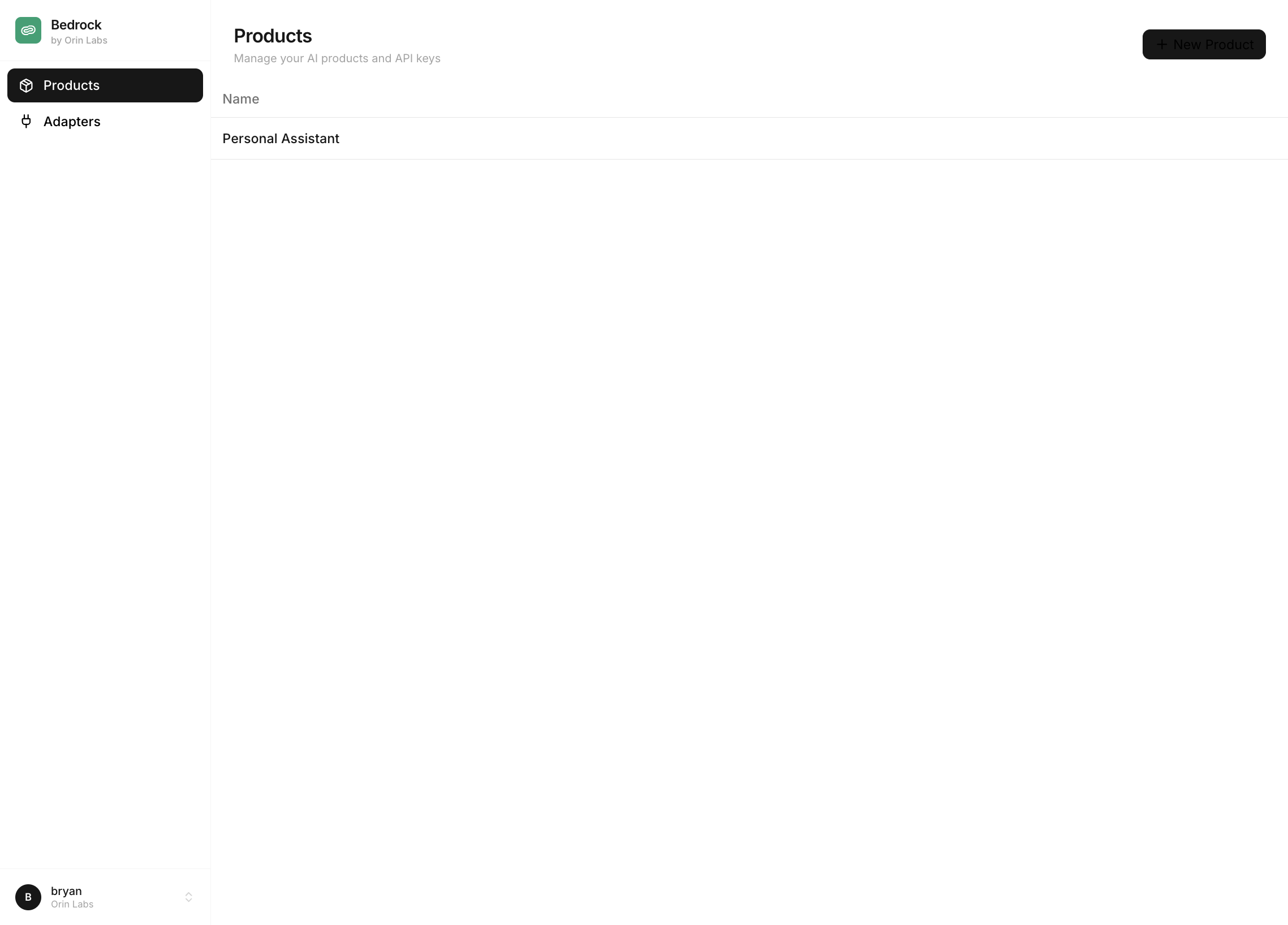
From the Templates page, click **+ New Template**. Give it a name (e.g., "Personal Assistant") and click **Create**.
 On the **Template Detail** page, configure:
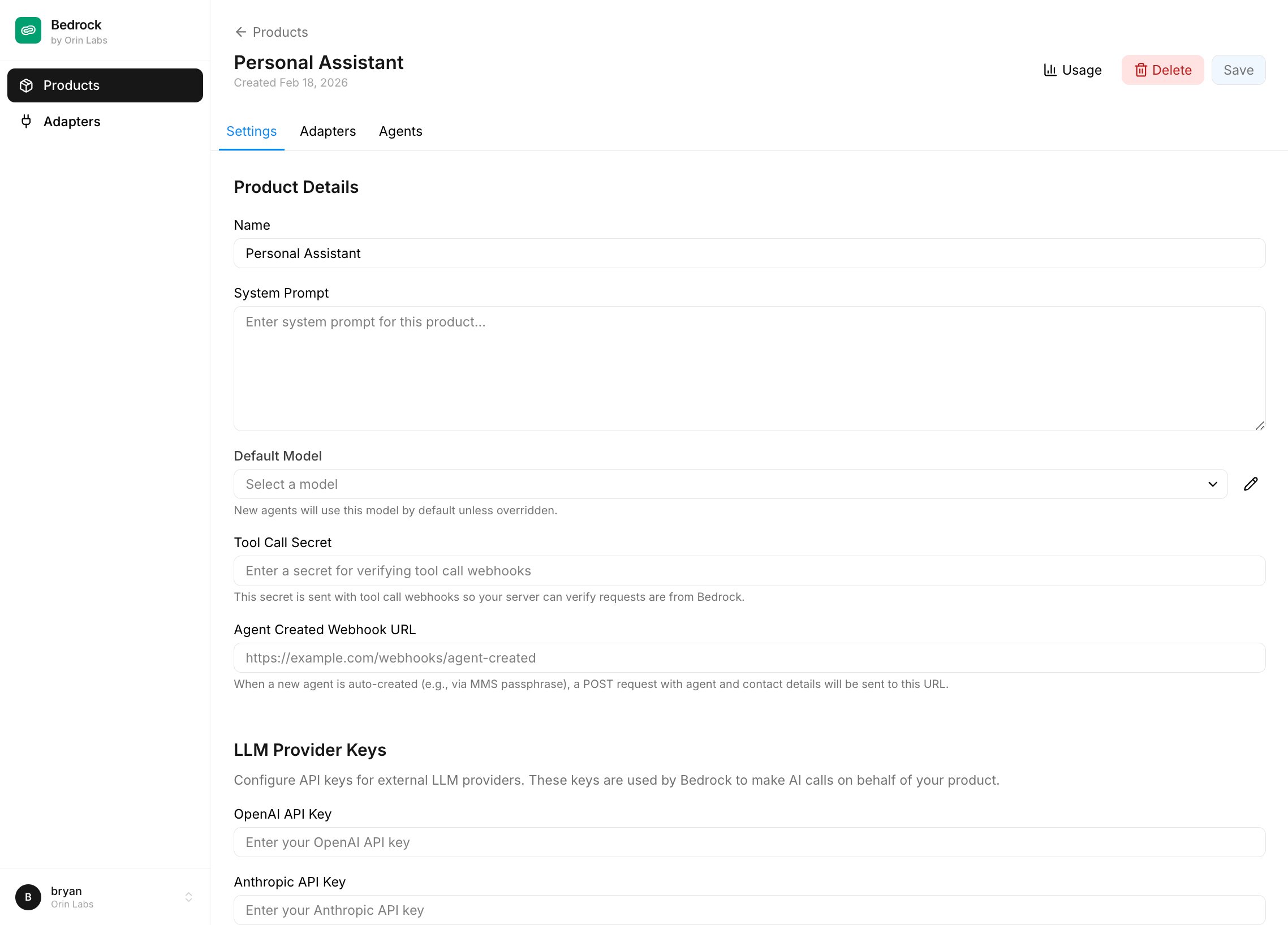 1. **System Prompt** — The base instructions for all agents created from this template. Defines personality and behavior.
2. **Default Model** — The LLM model new agents will use (e.g., `claude-sonnet-4-5`, `gpt-4o`).
3. **Harness Git Ref** — Branch, tag, or commit SHA of `bedrock-harness` to check out at dispatch time. Blank means latest `main`.
4. **Tool Call Secret** — Sent as `X-Agent-Secret` on every webhook tool call so your server can verify requests came from Bedrock.
5. **Agent Created Webhook URL** — Optional; hit with agent + contact details whenever a new agent is auto-created from this template (e.g. by an inbound MMS passphrase flow).
Click **Save** to persist your changes.
## Step 4: Create an API Key
Go to the **API Keys** page. Click **Create API Key**, give it a name (e.g., "Production"), and copy the key immediately — it's only shown once.
Organization API keys work for every resource owned by your organization: templates, agents, adapters, tracing, and the default adapter state endpoints.
Copy your API key immediately after creating it. You won't be able to see it again.
## Step 5: Add Adapters to the Template
On the template page, switch to the **Adapters** tab. You'll see a list of adapters available to your organization with a toggle to enable each one.
1. **System Prompt** — The base instructions for all agents created from this template. Defines personality and behavior.
2. **Default Model** — The LLM model new agents will use (e.g., `claude-sonnet-4-5`, `gpt-4o`).
3. **Harness Git Ref** — Branch, tag, or commit SHA of `bedrock-harness` to check out at dispatch time. Blank means latest `main`.
4. **Tool Call Secret** — Sent as `X-Agent-Secret` on every webhook tool call so your server can verify requests came from Bedrock.
5. **Agent Created Webhook URL** — Optional; hit with agent + contact details whenever a new agent is auto-created from this template (e.g. by an inbound MMS passphrase flow).
Click **Save** to persist your changes.
## Step 4: Create an API Key
Go to the **API Keys** page. Click **Create API Key**, give it a name (e.g., "Production"), and copy the key immediately — it's only shown once.
Organization API keys work for every resource owned by your organization: templates, agents, adapters, tracing, and the default adapter state endpoints.
Copy your API key immediately after creating it. You won't be able to see it again.
## Step 5: Add Adapters to the Template
On the template page, switch to the **Adapters** tab. You'll see a list of adapters available to your organization with a toggle to enable each one.
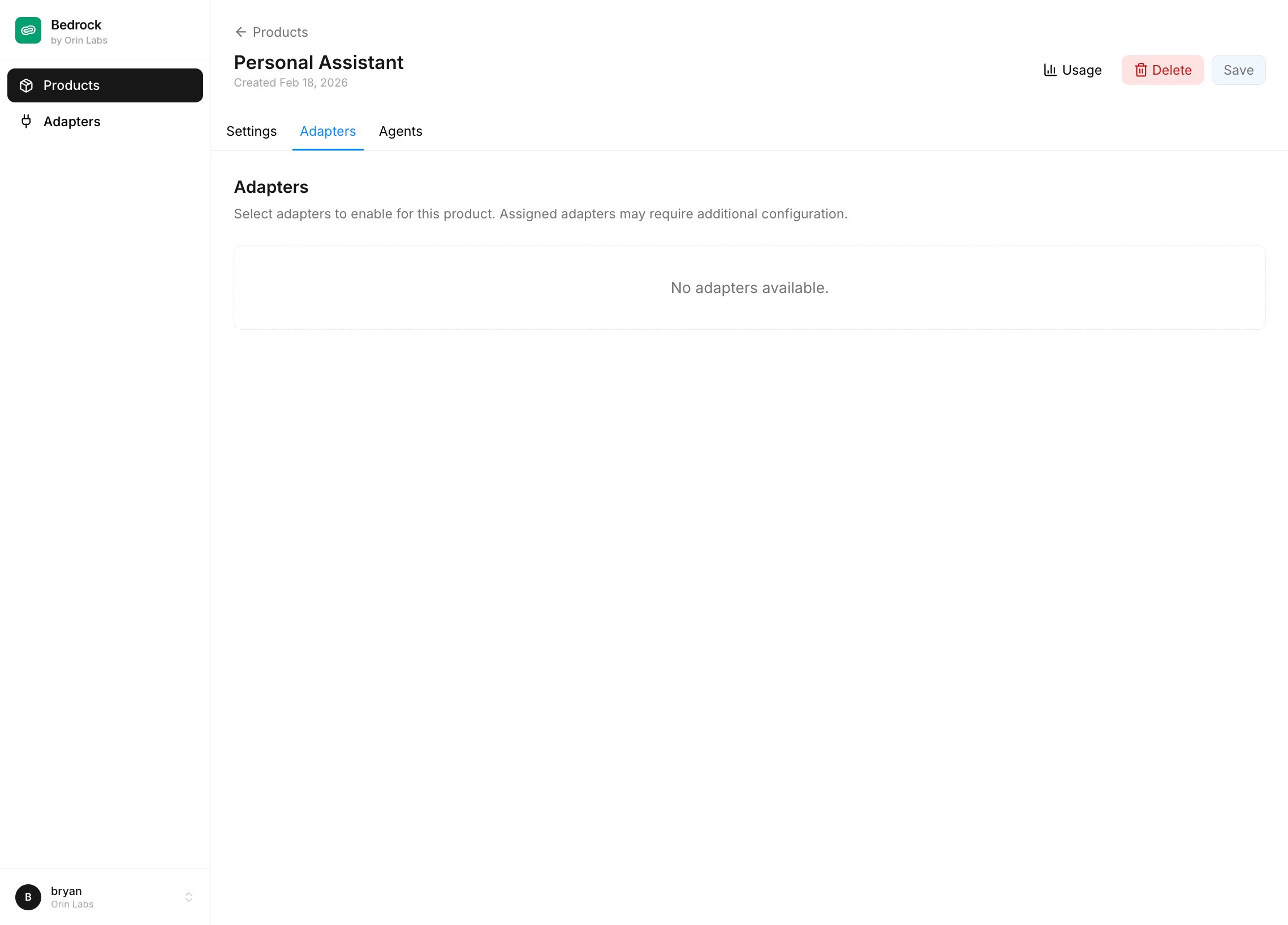 Adapters that don't require configuration (like **Contacts**, **Projects**, **Documents**, **Notifications**) enable instantly.
Adapters that require configuration prompt you to fill in their settings. For example:
* **SMS** requires a Twilio `phone_number` (and optionally `twilio_account_sid` / `twilio_auth_token`)
* **Email** requires an `agentmail_domain` (and optionally `agentmail_api_key`)
For a basic setup, enable **Contacts**, **Notifications**, **Projects**, and **Documents** — these require no configuration.
## Step 6: Deploy an Agent
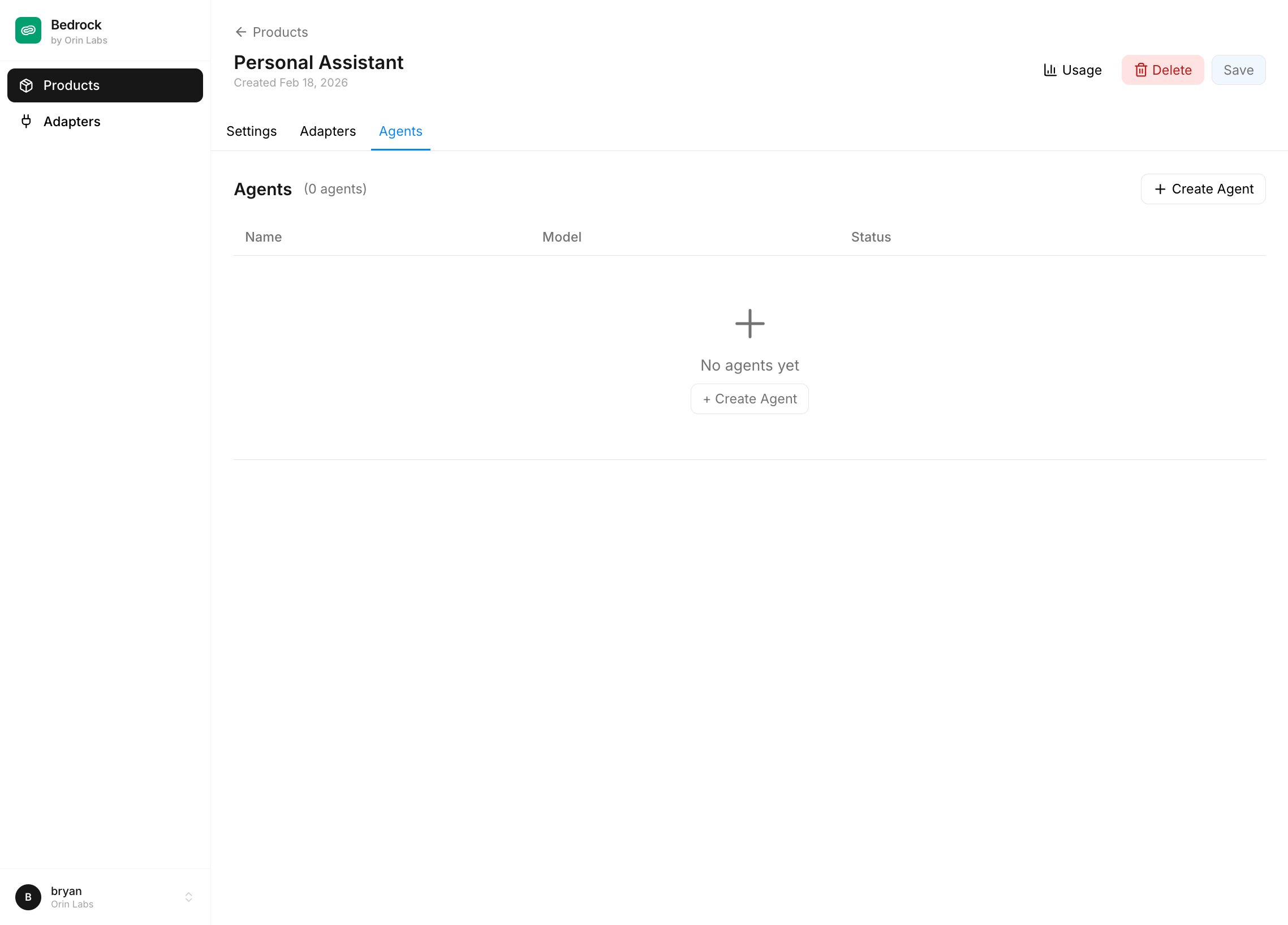
Agents are instances of a template. Each one snapshots the template's prompt, model, and adapter configs at creation time, then owns its own copy. You can see and manage agents from the **Agents** page.
Adapters that don't require configuration (like **Contacts**, **Projects**, **Documents**, **Notifications**) enable instantly.
Adapters that require configuration prompt you to fill in their settings. For example:
* **SMS** requires a Twilio `phone_number` (and optionally `twilio_account_sid` / `twilio_auth_token`)
* **Email** requires an `agentmail_domain` (and optionally `agentmail_api_key`)
For a basic setup, enable **Contacts**, **Notifications**, **Projects**, and **Documents** — these require no configuration.
## Step 6: Deploy an Agent
Agents are instances of a template. Each one snapshots the template's prompt, model, and adapter configs at creation time, then owns its own copy. You can see and manage agents from the **Agents** page.
 Use the API to create an agent programmatically (e.g., when a new user signs up for your app):
```bash cURL theme={null}
curl -X POST https://api.bedrock.orinlabs.org/api/cloud/agents/ \
-H "Authorization: Bearer YOUR_API_KEY" \
-H "Content-Type: application/json" \
-d '{
"name": "Alice'\''s Assistant",
"template": "YOUR_TEMPLATE_ID",
"timezone": "America/New_York"
}'
```
```python Python theme={null}
import requests
API_KEY = "your-bedrock-api-key"
BASE_URL = "https://api.bedrock.orinlabs.org"
agent = requests.post(
f"{BASE_URL}/api/cloud/agents/",
headers={"Authorization": f"Bearer {API_KEY}"},
json={
"name": "Alice's Assistant",
"template": "YOUR_TEMPLATE_ID",
"timezone": "America/New_York",
},
).json()
print(f"Created agent: {agent['id']}")
```
The agent inherits the template's `system_prompt`, `default_model`, adapter set, and per-adapter configs. You can also create agents from the portal by going to the **Agents** page and clicking **Create Agent**.
You can override the template's adapters on a specific agent by passing an `adapters` array of adapter names or IDs.
## Step 7: Run the Agent
Wake the agent to start its autonomous loop:
```bash cURL theme={null}
curl -X POST https://api.bedrock.orinlabs.org/api/cloud/agents/AGENT_ID/run/ \
-H "Authorization: Bearer YOUR_API_KEY" \
-H "Content-Type: application/json" \
-d '{"wakeup": true}'
```
```python Python theme={null}
requests.post(
f"{BASE_URL}/api/cloud/agents/{agent['id']}/run/",
headers={"Authorization": f"Bearer {API_KEY}"},
json={"wakeup": True},
)
```
The agent will:
1. Check its notifications and tools for new information
2. Take any necessary actions (send messages, create projects, etc.)
3. Sleep when there's nothing to do
4. Automatically wake when new messages arrive or at its scheduled time
## Step 8: Notify the Agent
Create a high-priority notification to give the agent work:
```bash theme={null}
curl -X POST https://api.bedrock.orinlabs.org/api/defaults/notifications/ \
-H "Authorization: Bearer YOUR_API_KEY" \
-H "Content-Type: application/json" \
-d '{
"agent": "AGENT_ID",
"title": "Create Q1 Planning project",
"body": "Create a project called Q1 Planning that runs from March 1 to March 31.",
"source": "quickstart",
"priority": "high"
}'
```
Then wake the agent to process it:
```bash theme={null}
curl -X POST https://api.bedrock.orinlabs.org/api/cloud/agents/AGENT_ID/run/ \
-H "Authorization: Bearer YOUR_API_KEY" \
-H "Content-Type: application/json" \
-d '{"wakeup": true}'
```
## Step 9: Monitor with Traces
Every run writes a top-level `Trace` with nested spans for every LLM call, tool call, and checkpoint. See exactly what the agent did:
```bash cURL theme={null}
curl "https://api.bedrock.orinlabs.org/api/tracing/traces/list/?agent=AGENT_ID&limit=5" \
-H "Authorization: Bearer YOUR_API_KEY"
```
```python Python theme={null}
traces = requests.get(
f"{BASE_URL}/api/tracing/traces/list/",
headers={"Authorization": f"Bearer {API_KEY}"},
params={"agent": agent["id"], "limit": 5},
).json()
for trace in traces["results"]:
print(f"Trace: {trace['id']} - {trace['started_at']}")
```
Get detailed spans for a specific trace:
```bash theme={null}
curl https://api.bedrock.orinlabs.org/api/tracing/traces/TRACE_ID/ \
-H "Authorization: Bearer YOUR_API_KEY"
```
## What's Next?
Set up Twilio to send/receive text messages
Connect agents to your own APIs
Monitor costs and debug issues
## Complete Example
Here's a full Python script that deploys an agent from an existing template and runs it:
```python theme={null}
import requests
import time
API_KEY = "your-bedrock-api-key"
TEMPLATE_ID = "your-template-id"
BASE_URL = "https://api.bedrock.orinlabs.org"
headers = {"Authorization": f"Bearer {API_KEY}"}
agent = requests.post(
f"{BASE_URL}/api/cloud/agents/",
headers=headers,
json={
"name": "Alice's Assistant",
"template": TEMPLATE_ID,
"timezone": "America/New_York",
},
).json()
print(f"Created agent: {agent['id']}")
requests.post(
f"{BASE_URL}/api/defaults/notifications/",
headers=headers,
json={
"agent": agent["id"],
"title": "Create Q1 planning project",
"body": "Create a project for Q1 planning, March 1-31.",
"source": "quickstart",
"priority": "high",
},
)
print("Created notification")
requests.post(
f"{BASE_URL}/api/cloud/agents/{agent['id']}/run/",
headers=headers,
json={"wakeup": True},
)
print("Agent started running...")
time.sleep(10)
status = requests.get(
f"{BASE_URL}/api/cloud/agents/{agent['id']}/",
headers=headers,
).json()
print(f"Agent status: {status['status']}")
traces = requests.get(
f"{BASE_URL}/api/tracing/traces/list/",
headers=headers,
params={"agent": agent["id"], "limit": 1},
).json()
if traces["results"]:
trace_id = traces["results"][0]["id"]
trace = requests.get(
f"{BASE_URL}/api/tracing/traces/{trace_id}/",
headers=headers,
).json()
print(f"\nTrace has {len(trace['spans'])} spans:")
for span in trace["spans"][:5]:
print(f" - {span['name']} ({span['span_type']})")
```
Use the API to create an agent programmatically (e.g., when a new user signs up for your app):
```bash cURL theme={null}
curl -X POST https://api.bedrock.orinlabs.org/api/cloud/agents/ \
-H "Authorization: Bearer YOUR_API_KEY" \
-H "Content-Type: application/json" \
-d '{
"name": "Alice'\''s Assistant",
"template": "YOUR_TEMPLATE_ID",
"timezone": "America/New_York"
}'
```
```python Python theme={null}
import requests
API_KEY = "your-bedrock-api-key"
BASE_URL = "https://api.bedrock.orinlabs.org"
agent = requests.post(
f"{BASE_URL}/api/cloud/agents/",
headers={"Authorization": f"Bearer {API_KEY}"},
json={
"name": "Alice's Assistant",
"template": "YOUR_TEMPLATE_ID",
"timezone": "America/New_York",
},
).json()
print(f"Created agent: {agent['id']}")
```
The agent inherits the template's `system_prompt`, `default_model`, adapter set, and per-adapter configs. You can also create agents from the portal by going to the **Agents** page and clicking **Create Agent**.
You can override the template's adapters on a specific agent by passing an `adapters` array of adapter names or IDs.
## Step 7: Run the Agent
Wake the agent to start its autonomous loop:
```bash cURL theme={null}
curl -X POST https://api.bedrock.orinlabs.org/api/cloud/agents/AGENT_ID/run/ \
-H "Authorization: Bearer YOUR_API_KEY" \
-H "Content-Type: application/json" \
-d '{"wakeup": true}'
```
```python Python theme={null}
requests.post(
f"{BASE_URL}/api/cloud/agents/{agent['id']}/run/",
headers={"Authorization": f"Bearer {API_KEY}"},
json={"wakeup": True},
)
```
The agent will:
1. Check its notifications and tools for new information
2. Take any necessary actions (send messages, create projects, etc.)
3. Sleep when there's nothing to do
4. Automatically wake when new messages arrive or at its scheduled time
## Step 8: Notify the Agent
Create a high-priority notification to give the agent work:
```bash theme={null}
curl -X POST https://api.bedrock.orinlabs.org/api/defaults/notifications/ \
-H "Authorization: Bearer YOUR_API_KEY" \
-H "Content-Type: application/json" \
-d '{
"agent": "AGENT_ID",
"title": "Create Q1 Planning project",
"body": "Create a project called Q1 Planning that runs from March 1 to March 31.",
"source": "quickstart",
"priority": "high"
}'
```
Then wake the agent to process it:
```bash theme={null}
curl -X POST https://api.bedrock.orinlabs.org/api/cloud/agents/AGENT_ID/run/ \
-H "Authorization: Bearer YOUR_API_KEY" \
-H "Content-Type: application/json" \
-d '{"wakeup": true}'
```
## Step 9: Monitor with Traces
Every run writes a top-level `Trace` with nested spans for every LLM call, tool call, and checkpoint. See exactly what the agent did:
```bash cURL theme={null}
curl "https://api.bedrock.orinlabs.org/api/tracing/traces/list/?agent=AGENT_ID&limit=5" \
-H "Authorization: Bearer YOUR_API_KEY"
```
```python Python theme={null}
traces = requests.get(
f"{BASE_URL}/api/tracing/traces/list/",
headers={"Authorization": f"Bearer {API_KEY}"},
params={"agent": agent["id"], "limit": 5},
).json()
for trace in traces["results"]:
print(f"Trace: {trace['id']} - {trace['started_at']}")
```
Get detailed spans for a specific trace:
```bash theme={null}
curl https://api.bedrock.orinlabs.org/api/tracing/traces/TRACE_ID/ \
-H "Authorization: Bearer YOUR_API_KEY"
```
## What's Next?
Set up Twilio to send/receive text messages
Connect agents to your own APIs
Monitor costs and debug issues
## Complete Example
Here's a full Python script that deploys an agent from an existing template and runs it:
```python theme={null}
import requests
import time
API_KEY = "your-bedrock-api-key"
TEMPLATE_ID = "your-template-id"
BASE_URL = "https://api.bedrock.orinlabs.org"
headers = {"Authorization": f"Bearer {API_KEY}"}
agent = requests.post(
f"{BASE_URL}/api/cloud/agents/",
headers=headers,
json={
"name": "Alice's Assistant",
"template": TEMPLATE_ID,
"timezone": "America/New_York",
},
).json()
print(f"Created agent: {agent['id']}")
requests.post(
f"{BASE_URL}/api/defaults/notifications/",
headers=headers,
json={
"agent": agent["id"],
"title": "Create Q1 planning project",
"body": "Create a project for Q1 planning, March 1-31.",
"source": "quickstart",
"priority": "high",
},
)
print("Created notification")
requests.post(
f"{BASE_URL}/api/cloud/agents/{agent['id']}/run/",
headers=headers,
json={"wakeup": True},
)
print("Agent started running...")
time.sleep(10)
status = requests.get(
f"{BASE_URL}/api/cloud/agents/{agent['id']}/",
headers=headers,
).json()
print(f"Agent status: {status['status']}")
traces = requests.get(
f"{BASE_URL}/api/tracing/traces/list/",
headers=headers,
params={"agent": agent["id"], "limit": 1},
).json()
if traces["results"]:
trace_id = traces["results"][0]["id"]
trace = requests.get(
f"{BASE_URL}/api/tracing/traces/{trace_id}/",
headers=headers,
).json()
print(f"\nTrace has {len(trace['spans'])} spans:")
for span in trace["spans"][:5]:
print(f" - {span['name']} ({span['span_type']})")
```